Worked Example
Monitoring structured process data with Tensor SPC
This example follows the practical logic from the monograph using a sensor × time × condition process signature.
Define the observation structure
Each observation is treated as a structured object, such as sensor readings across time under a specific operating condition. The data are not flattened before modeling.
Fit a low-rank tensor model
A Tucker-style model learns the dominant structure from Phase I in-control data. This provides a modeled subspace and a reconstruction method.
Compute T² and Q
T² monitors variation in the learned score space. Q monitors squared residual energy after reconstruction.
Interpret alarms
A spike in Q suggests unmodeled residual structure. A spike in T² suggests unusual variation within the modeled structure. Both together suggest a broader departure.
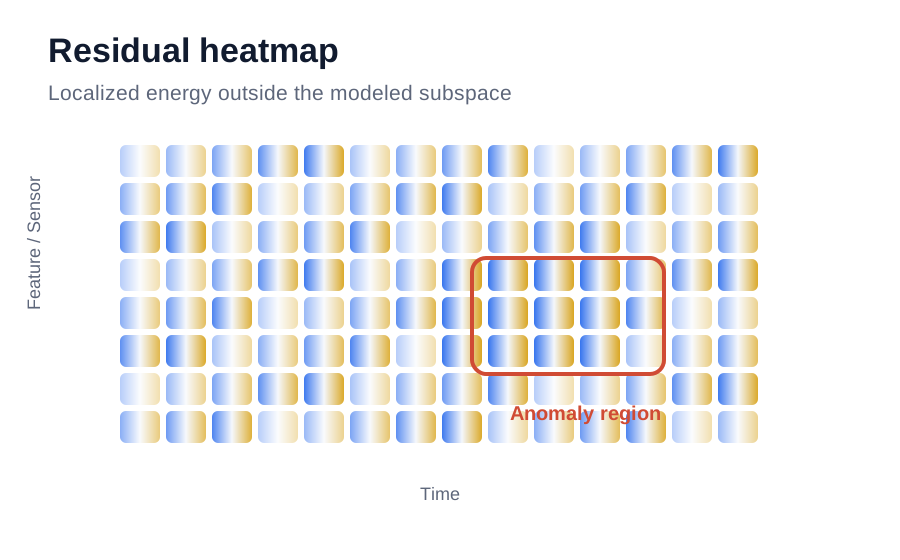
Residual heatmaps help localize where the tensor model fails to reconstruct the observation.
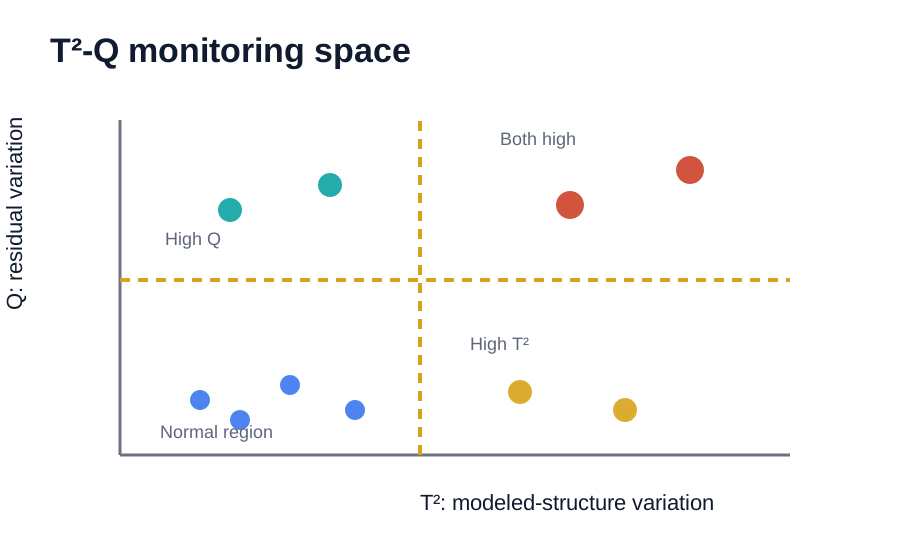
The T²-Q plot separates normal observations, modeled-structure shifts, residual anomalies, and mixed changes.
Minimal Python-style workflow
The actual implementation can vary, but the computational pattern is consistent.
# Phase I reference data: samples × sensors × time
X_ref = build_tensor(reference_data)

# Fit tensor model
core, factors = tucker(X_ref, rank=[r_sample, r_sensor, r_time])

# For a new sample
score = project_to_score_space(X_new, factors)
T2 = hotelling_distance(score, score_mean, score_cov_inv)

X_hat = reconstruct_from_tensor_model(X_new, factors)
Q = squared_frobenius_norm(X_new - X_hat)

flag = (T2 > T2_limit) or (Q > Q_limit)
Interpretation
The value is not only detection — it is structured diagnosis.
Traditional monitoring can tell you something is unusual. Tensor SPC adds a structured way to ask where the unusual behavior lives: in the modeled score pattern, in residual space, or in a localized region of the observation.
Compare with PCATry it interactively
Run a small browser-based Python example
The interactive demo lets you adjust a localized anomaly and observe the Q statistic and residual heatmap in real time.
Open Interactive Demo